

Konica Minolta · A4 Mono Multifunction Copier · i-Series
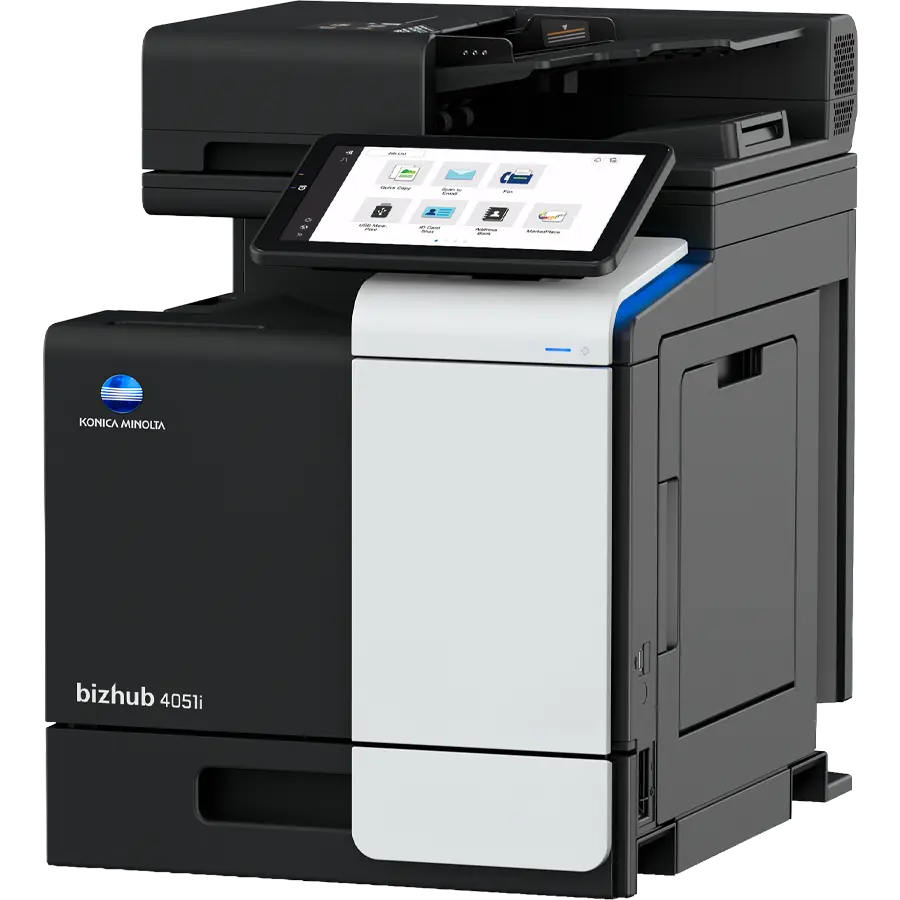
Konica Minolta bizhub 4051i
A step up in interface and security — 40 pages a minute, an 80-sheet dual-scan feeder that captures colour originals, and Konica Minolta's tablet-style i-Series touch panel. Available to lease or buy from KM Direct Holdings, with sales, installation and service handled in-house across Gauteng and the Western Cape.
- 40 ppm mono
- A6–A4
- 80-sheet dual-scan ADF
- 10.1" touch panel
- Embedded antivirus
No obligation — we usually respond within one business day.
- Dealer of the YearKonica Minolta, 2024
- 1,000+ clientsSupported nationwide
- In-house techniciansWe service what we sell
- Lease or buyFlexible contract terms
Why offices choose the bizhub 4051i
Konica Minolta's i-Series platform — a smartphone-style interface, serious security, and running costs that hold up over a five-year contract.
Keeps a small team moving
40 pages a minute, first page out in 4.8–5.4 seconds, with an 80-sheet dual-scan feeder that captures both sides of mixed documents in one pass.
i-Series-grade protection
ISO 15408 Common Criteria, TLS 1.2/1.3, AES 256 drive encryption and optional Bitdefender® real-time antivirus scanning built into the device.
Low energy, long-life consumables
A dynamic eco timer that learns your working hours, plus toner rated for up to 13,000 pages and an imaging unit good for up to 168,000 pages.
The machine
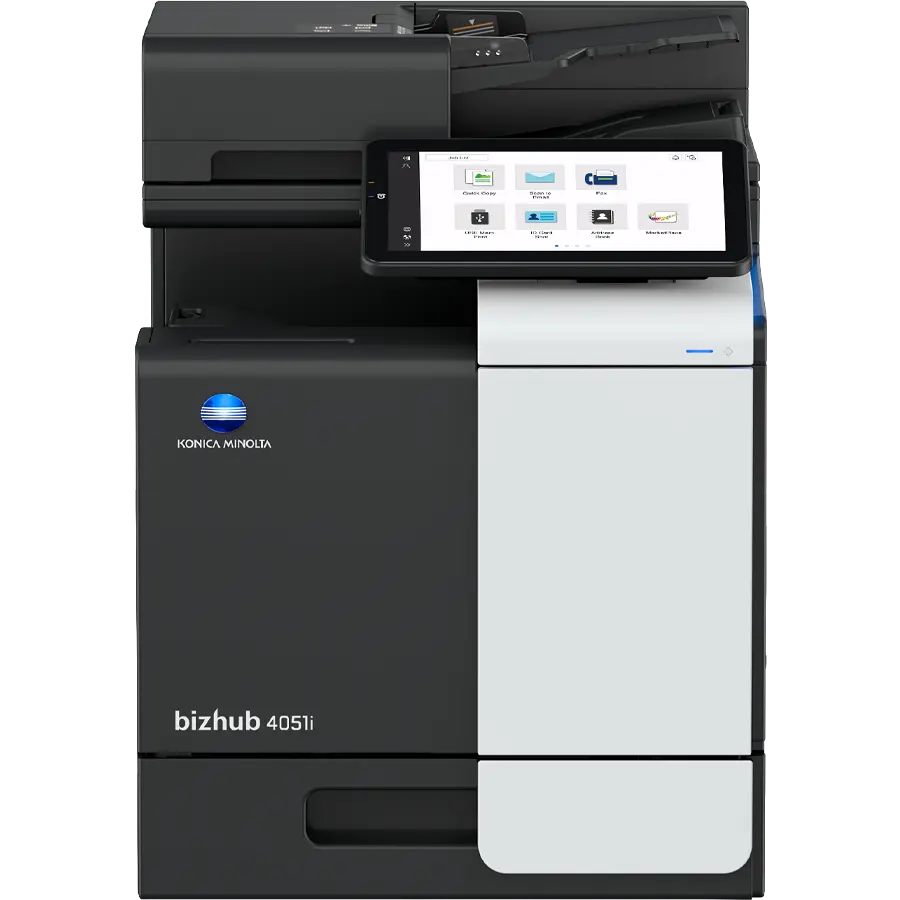
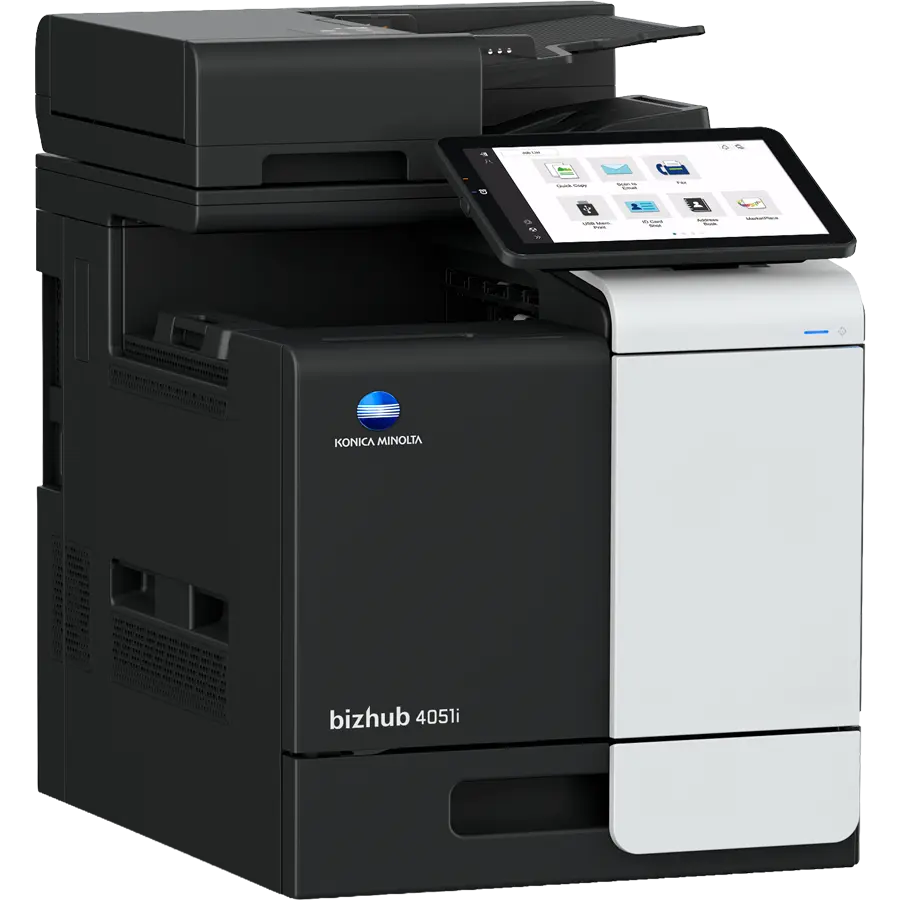
What the bizhub 4051i does
Driverless direct print of PDF, XPS, DOCX, XLSX, PPTX, JPEG, TIFF, PS and PCL, with a smart job queue that skips unprintable jobs instead of stalling the line.
Scan
Up to 45 ipm simplex, 90 ipm duplex in mono or colour. Scan to email, SMB, FTP, SFTP, USB, WebDAV or a URL, with blank-page removal and scan preview.
Copy & fax
Automatic blank-page removal on mixed simplex/duplex jobs, plus optional Super G3 fax with IP-Fax, colour i-Fax and PC-Fax support.
Print from anywhere, anytime
Straight from a phone or tablet — no cables, no workarounds.


bizhub 4051i full specifications
| System speed A4 | Up to 40/40 ppm |
|---|---|
| Autoduplex speed A4 | Up to 40/40 ppm |
| First page out (A4) | 4.8 sec mono / 5.4 sec colour scan |
| Warm-up time | Approx. 13–15 sec. |
| Imaging technology | Laser, Simitri® V polymerised toner |
| Control panel | 10.1" touchscreen, 1024 x 600 |
| Memory | 5,120 MB (standard/max) |
| Storage | 256 GB SSD standard, 1 TB SSD optional |
| Document feeder | Dual-scan, up to 80 originals, A6–A4, 50–128 g/m² |
| Paper input capacity | 600 sheets standard, 2,100 sheets max |
| Duty cycle (monthly) | Rec. 6,500 pages, max. 120,000 pages |
| Toner lifetime | Black up to 13,000 pages, CMY up to 9,000 pages |
| Imaging unit lifetime | Black up to 168,000 pages, CMY up to 55,000 pages |
| System dimensions (W x D x H) | 420 x 528 x 572 mm (without options) |
| System weight | Approx. 39.0 kg (without options) |
| Print resolution | 1,800 (equivalent) x 600 dpi; 1,200 x 1,200 dpi |
|---|---|
| Page description languages | PCL 6 (XL3.0), PCL 5c, PostScript 3 (CPSI 3016), XPS |
| Interfaces | 10/100/1,000-Base-T Ethernet, USB 2.0, Wi-Fi 802.11 b/g/n/ac (optional) |
| Network protocols | TCP/IP (IPv4/IPv6), SMB, LPD, IPP, SNMP, HTTP(S), Bonjour |
| Operating systems | Windows 10/11, Server 2012–2025, macOS 10.14 or later, Unix, Linux, Citrix |
| Mobile printing | AirPrint (iOS), Mopria (Android), Konica Minolta Mobile Print; optional Wi-Fi Direct |
| Scan speed | Up to 45/45 ipm simplex, 90/90 ipm duplex (mono/colour) |
|---|---|
| Scan resolution | Up to 600 x 600 dpi |
| Scan destinations | Email, SMB, FTP, SFTP, Box, USB, WebDAV, DPWS, URL, TWAIN — 2,000 destinations plus 100 groups, LDAP supported |
| File formats | JPEG, TIFF, PDF, Compact PDF, Encrypted PDF, XPS, PPTX, PDF/A 1a and 1b; optional searchable PDF and DOCX/PPTX/XLSX |
| Copy resolution | 600 x 600 dpi, 256 gradations, 25–400% zoom |
| Fax | Super G3 (optional), analogue, i-Fax, colour i-Fax, IP-Fax, up to 33.6 Kbps |
| Certification | ISO 15408 Common Criteria |
|---|---|
| Network security | IP filtering and port blocking, TLS 1.2/1.3, IPsec, IEEE 802.1x |
| Data protection | Hard drive overwrite, AES 256 drive encryption, encrypted print data, secure print, confidential fax, end-of-life data erasure tool |
| Optional protection | Bitdefender® real-time antivirus scanning with on-screen status |
| User accounts | Up to 1,000, with Active Directory support |
| Authentication | Password, user name and password, ID card or finger-vein scanner |
Lease the bizhub 4051i — what’s included
Spread the cost over 12 to 60 months instead of paying upfront. We quote lease and purchase side by side so you can compare the total cost over the term.
- ✓The machineDelivered, installed and set up on your network
- ✓Toner and servicingBilled per page printed (cost per copy), so you only pay for what you use
- ✓Our own techniciansService and support from the team that supplied your machine
- ✓Upgrade optionMove to a newer model at the end of your term
No obligation — we usually respond within one business day. How copier leasing works →
bizhub 4051i — common questions
How much does the Konica Minolta bizhub 4051i cost in South Africa?
Pricing depends on your monthly print volume and whether you lease or buy outright. We quote both side by side so you can compare the total cost over the contract term. Send us your monthly page count and we'll come back with a firm figure.
Can I lease the bizhub 4051i instead of buying it?
Yes — most of our customers lease, with a fixed monthly cost for the machine, and toner and servicing billed per page printed (cost per copy). We'll quote lease and purchase side by side so you can compare the total cost over the term rather than just the upfront number.
What monthly print volume is the bizhub 4051i built for?
It suits moderate mono volumes, recommended around 6,500 pages a month with headroom up to 120,000. If you need higher security features with less volume, the 4020i costs less to run; if you need more speed, the 4751i or 5021i are the next step up. Tell us your monthly page count and we'll recommend honestly rather than overselling.
Does the bizhub 4051i scan and fax as well as print and copy?
Yes — it's a full multifunction device. Print, copy, colour scanning and optional Super G3 fax are all available on the same machine.
Compare other Konica Minolta copiers
Get a quote on the bizhub 4051i
Tell us your monthly print volume and we'll come back with a lease or purchase price, including toner and service.
Still comparing? Download the full 4051i brochure (PDF) — or call us and we'll talk it through.
Serving Johannesburg, Pretoria, Cape Town and surrounds — with nationwide service coverage.